


November 17, 2026
How to Reduce Bounce Rate and Boost Engagement
Before you can start wrestling that bounce rate down, you have to get to the bottom of what it’s really telling you. At its core, a high bounce rate signals a fundamental disconnect. A visitor showed up expecting one thing and your page delivered something else entirely.
They hit your page and then hit the back button. Why? That's the million-dollar question.
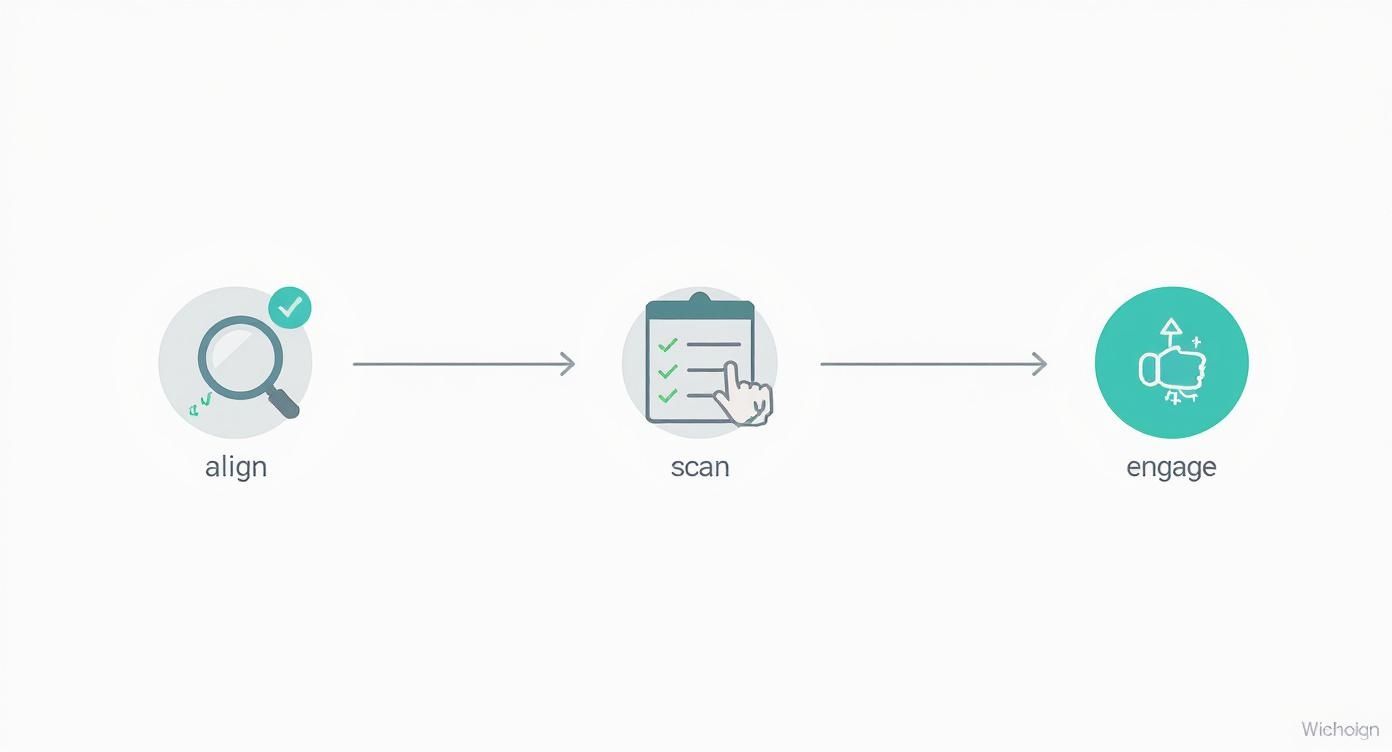
Fixing this isn't about gaming a metric; it’s about improving the entire user experience. You need to align your content with their search intent, make your site lightning-fast, and give them a clear, irresistible path forward. Nailing these fundamentals is how you convince people to stick around.
Understanding Bounce Rate and Why It Matters
Let's cut through the jargon. A "bounce" is simply when someone lands on a page of your website and leaves without doing anything else. No clicks, no form fills, no navigating to another page. They came, they saw, they left. That's it.
A high bounce rate is rarely the problem itself—it’s a symptom of a bigger issue. It's a flashing red light on your dashboard, telling you something is wrong. Usually, it points to one of these culprits:
- A Mismatch in Expectations: Your page title and meta description wrote a check that your content couldn't cash.
- Poor User Experience (UX): The page is painfully slow, a nightmare to navigate on mobile, or bombards them with pop-ups.
- Weak Content Value: The information is thin, unhelpful, or just a giant wall of text that's impossible to scan.
- Lack of a Clear Next Step: Visitors are left wondering, "Okay, what now?" because there’s no obvious call-to-action (CTA).

Differentiating Bounce Rate from Exit Rate
People often mix up bounce rate and exit rate, but they tell two very different stories. An exit rate is the percentage of people who left your site from a specific page—after they might have visited several other pages. A bounce, on the other hand, is always a single-page session.
A high bounce rate on your homepage is a major red flag. But a high exit rate on a "Thank You for Your Purchase" page? That's completely normal. Knowing the difference is crucial for an accurate diagnosis.
What Is a Good Bounce Rate?
There’s no magic number here, because context is everything. Bounce rates can swing wildly depending on the industry and the type of content.
For instance, the food and drink industry sees an average bounce rate of 65.52%. That makes sense—someone lands on a recipe page, gets what they need, and leaves. In contrast, apps and games websites hover around 46.7%, because their entire model is built on engagement.
To help you get your bearings, here's a quick reference table summarizing the key strategies we'll dive into.
Your Quick Guide to Reducing Bounce Rate
This table breaks down the main areas we'll cover, giving you a high-level look at what it takes to get that bounce rate trending downward.
| Focus Area | Primary Goal | Key Actions |
|---|---|---|
| User Experience (UX) | Make the site intuitive and easy to use. | Improve navigation, simplify layout, optimize for mobile. |
| Page Speed | Load content almost instantly. | Compress images, use a CDN, minify code. |
| Content Quality | Deliver valuable, relevant information. | Match user intent, use clear headings, add visuals. |
| Calls-to-Action (CTAs) | Guide visitors to the next step. | Use clear, compelling language; place CTAs strategically. |
| Internal Linking | Encourage further exploration of the site. | Link to related articles, products, or resources. |
Each of these points is a lever you can pull. The key is figuring out which ones will have the biggest impact for your audience and your site.
Ultimately, tracking your bounce rate is a proxy for measuring user satisfaction. When it's low, it means your pages are relevant, engaging, and successfully moving people toward their goals. It’s no surprise that many of the tactics for lowering bounce rate are also proven ways to improve website conversions.
Think of this as the diagnostic phase. Once you understand the "why" behind your bounces, the "how" of fixing them becomes much clearer.
Aligning Your Content with User Intent
Let’s be honest: the number one reason people bounce is a jarring disconnect between what they thought they were clicking on and what actually loaded on their screen.
Picture this: you promise a visitor a cozy coffee shop, but they walk into a hardware store. They’re not going to stick around to browse hammers—they're hitting the back button. This happens when their user intent, the real reason behind their search, isn't met. Getting this right is the single most powerful way to slash your bounce rate.
It all boils down to the "why" behind the click. When someone types a query into Google, they have a problem or a question. Your job is to serve up the solution so perfectly that leaving doesn't even cross their mind. The promise you make in your page title and meta description has to be delivered the second your page appears.
Decode What Your Audience Really Wants
You can't align with user intent if you're just guessing what people want. You need to use real data, and your best friend here is Google Search Console. It’s a goldmine of information, showing you the exact phrases people are using to land on your pages.
Go to the "Performance" report and filter for a page with a high bounce rate. Look at the queries driving traffic there. You’ll probably find some surprises.
For example, you might have written an article targeting "best project management software," but the data reveals people are finding it with searches like "free Trello alternative for small teams." That's a huge clue. It tells you your audience isn't looking for a generic list; they need a specific, budget-friendly solution for their small-scale operation. Armed with that insight, you can sharpen your content to speak directly to them.
Craft Headlines and Openings That Keep Them On the Page
Your headline and the first few sentences are your entire pitch. Their only job is to scream, "Yes, you're in the right place!" This is where you build instant trust and stop the bounce in its tracks. Your opening needs to feel like a direct answer to their search.
The takeaway is simple: Your above-the-fold content—everything visible without scrolling—must immediately confirm the visitor made the right click. If it doesn’t instantly reflect what they were looking for, they're gone.
Let's stick with the "free Trello alternative" example. If someone searched for that, your opening paragraph has to meet them right there.
- Weak Opening: "Project management is a crucial part of running a modern business. There are many tools on the market that can help teams collaborate more effectively." (This is generic fluff. It doesn’t acknowledge their specific need.)
- Strong Opening: "Looking for a free Trello alternative that’s actually built for small teams? We’ve cut through the noise and tested the top contenders to find the best no-cost options that deliver real power without the enterprise price tag." (This mirrors their exact intent and promises a tailored solution.)
This immediate validation reassures them that you have the answer, giving them a reason to keep reading.
Make Your Content Scannable for Quick Wins
Here’s a hard truth: most of your visitors don't read word-for-word. They scan. They’re hunting for answers, and if they have to dig through a wall of text, they’ll just give up and go somewhere else.
Making your content easy to scan is critical. It lets people find what they need, fast.
Here’s how to do it:
- Use Descriptive Subheadings: Break up your content with clear, benefit-focused H2s and H3s. Instead of a boring heading like "Features," try something like "The Core Features That Help You Ship Projects Faster."
- Keep Paragraphs Short: Aim for 1-3 sentences per paragraph. This creates breathing room on the page and makes the text feel far less intimidating.
- Lean on Lists: Bullet points and numbered lists are a scanner's best friend. They’re perfect for breaking down features, steps, or complex ideas into digestible chunks.
When you structure your content this way, you help users pinpoint the information that matters most to them. You deliver value instantly, turning a potential bounce into an engaged visit.
Boosting Website Speed and Performance
Let’s be honest: in the online world, nobody has patience. Nothing makes a visitor hit the back button faster than a page that just… won't… load. You could have the most brilliant content and a stunning design, but if it doesn’t show up almost instantly, most people will never even see it.
Improving your site's speed is one of the most direct and powerful ways to slash your bounce rate.
Think of it this way: a slow website is the digital version of a massive queue at a shop. Most people will take one look, decide it’s not worth the wait, and leave before they even get a chance to see what you’re selling. The link between speed and keeping visitors on your site isn't just a theory; it's been measured over and over again.
The data is pretty stark. Even tiny delays have a massive impact. Sites that load in just 1 second see a minimal 7% bounce rate. But stretch that to 3 seconds, and the probability of someone leaving jumps by 32%. By the time you hit 5 seconds, you're looking at a staggering 38% bounce rate.
For a massive organization like the BBC, every extra second of load time meant losing millions of users each month. You can see more of the hard numbers on how page speed impacts user retention.
Start with a Performance Diagnosis
Before you start tweaking things, you need a baseline. Guessing won’t get you very far. Free tools like Google PageSpeed Insights are perfect for pinpointing exactly what’s slowing your site down.
The report gives you clear scores for both mobile and desktop, highlighting key metrics that measure how quickly your content actually appears to a user. This is your road map—use it to build a targeted to-do list.
Implement High-Impact Speed Fixes
Once you know the problems, it's time to fix them. The good news is that many of the most effective techniques don't require you to be a coding genius and can deliver noticeable improvements right away.
Here are a few core strategies to jump on first:
- Compress Your Images: This is almost always the biggest offender. Huge, unoptimized images will kill your load times. Use tools like TinyPNG or a compression plugin to shrink file sizes without making your photos look terrible.
- Leverage Browser Caching: Caching tells a visitor's browser to save static parts of your site, like your logo and style files. When they come back, their browser doesn't have to re-download everything, making the page load much, much faster.
- Minify Your Code: Minification is just a fancy word for cleaning up your code. It strips out all the unnecessary characters—like extra spaces and comments—from your HTML, CSS, and JavaScript files. Smaller files mean faster downloads.
Upgrade Your Foundation with a CDN and Better Hosting
While optimizing your site's content is critical, the engine it runs on plays a huge part in its performance. Two things you absolutely need to consider are your web host and using a Content Delivery Network (CDN).
A quality web host gives you the server power to handle your traffic without sputtering. That cheap, shared hosting plan might have been fine when you started, but as your audience grows, it can quickly become your biggest bottleneck.
A Content Delivery Network (CDN) is a total game-changer, especially if you have a global audience. It works by storing copies of your site on servers all over the world. When someone visits, the content is delivered from the server closest to them, which dramatically cuts down load times.
When you combine these foundational upgrades with targeted on-page fixes, you create a genuinely fast and responsive experience. This doesn't just lower your bounce rate; it makes users happier and can even give you a boost in search engine rankings. A speedy site sends a clear message: you value your visitor's time. And that makes them far more likely to stick around.
Improving Site Navigation and User Experience
A confusing website is the digital equivalent of a store with no aisles or signs—customers just get frustrated and walk right out. If visitors land on your site and can't immediately figure out where to go or what to do next, they won't stick around to solve the puzzle. This is all about crafting an intuitive user experience (UX) that invites people to stay and explore, which directly tackles one of the biggest drivers of a high bounce rate.
Think of your website's navigation as its central nervous system. When it’s logical and clear, it guides visitors effortlessly to what they need. But when it's chaotic, it just creates friction and guarantees they'll hit the back button.
Simplify Your Primary Navigation Menu
The main menu is almost always the first place a visitor looks when they're trying to find their way around. An overstuffed, disorganized menu is a massive source of user frustration. The goal here is to make it as simple and predictable as possible.
Try to stick to a limited number of top-level items—ideally five to seven at most. This keeps you from overwhelming people with choice paralysis. You can group related pages logically under dropdowns, but avoid those deep, complex sub-menus that become a nightmare to use, especially on mobile.
The data here is pretty stark. PayPal, for example, has an incredibly low desktop bounce rate of just 19.5%, with users viewing an average of 7-8 pages per visit. On the other end of the spectrum, sites with confusing structures can see bounce rates skyrocket to as high as 86.81% because users hit one page and immediately leave. It’s clear: encouraging exploration with clear navigation is a powerful way to get your bounce rate down.
Use Internal Links to Guide the User Journey
Beyond the main menu, internal links are your secret weapon for guiding visitors from one piece of content to the next. When you write a blog post, for instance, you should be naturally linking to other relevant articles or resources on your site. This does two critical things:
- It adds real value: You're giving readers extra, related information that enriches their experience.
- It encourages exploration: You're literally creating a path for them to continue their journey on your site, turning a potential bounce into a much longer, more engaged session.
So, if you mention "content marketing" in an article about SEO, link that phrase directly to your cornerstone guide on content marketing. It's a simple move, but it's incredibly effective at keeping users engaged and moving through your site.
A well-placed internal link acts as a helpful signpost, telling your visitor, "If you found this interesting, you'll find even more value over here." It’s all about creating a seamless flow of information that keeps them clicking.
Eliminate Common User Experience Annoyances
Sometimes, lowering your bounce rate isn't about what you add, but what you take away. Certain design choices, while maybe well-intentioned, can be incredibly disruptive and send people running for the exit.
Here are a few of the most common culprits to get rid of:
- Aggressive Pop-ups: A pop-up that ambushes someone the second they land on your page is a surefire way to annoy them. If you must use pop-ups, set them to appear on exit-intent or after a user has scrolled a good way down the page.
- Autoplay Videos with Sound: Unexpected audio is one of the fastest ways to make someone close a tab. Always, always give the user control over video and audio playback.
- Layouts That Aren't Mobile-Friendly: More than half of all web traffic now comes from mobile devices. A site that isn't responsive is just not acceptable anymore. If users have to pinch and zoom just to read your content, they're gone.
Finally, remember that a truly great user experience is an inclusive one. To build a site that actually retains users, you have to ensure it's usable by everyone. It's worth exploring the critical link between web accessibility and user experience to get this right. By focusing on creating a clear, helpful, and frustration-free environment, you make it easy for visitors to find what they need and give them every reason to stick around.
Attracting the Right Audience to Your Site
You can have the most beautifully designed, lightning-fast website in the world, but if you're attracting the wrong people, your bounce rate will always be sky-high.
Think of it this way: you wouldn't try to sell a premium steak to a vegan. It doesn't matter how perfectly cooked it is; they're in the wrong restaurant. A high bounce rate is often a clear signal of this exact problem—a fundamental disconnect between who is visiting your site and what you actually offer.
The fix isn't about casting a wider net. It's about being a smarter fisherman. You need to zero in on a more qualified audience, which means getting your hands dirty in your analytics to see what's working and what's a complete waste of time.
Pinpoint Your Best (and Worst) Traffic Sources
First things first, you need to play detective. Where are your visitors actually coming from? For this, Google Analytics is your best friend.
Jump into the Acquisition > All Traffic > Source/Medium report. This is mission control for understanding your traffic channels—organic search, social media, paid ads, referrals, you name it.
But don't just look at the traffic volume. The real gold is in the bounce rate column next to each source. You might find that a specific social campaign is bringing in droves of people who bounce immediately (a 90% bounce rate is a huge red flag), while visitors from organic search are sticking around and exploring.
This data tells you exactly where to focus your energy and, just as importantly, where to cut your losses.
Don’t stop at the surface level. Dig into the bounce rate for specific landing pages from different sources. You might have a page that performs brilliantly with organic traffic but tanks with paid traffic. That’s not a page problem—it's a targeting problem.
This kind of analysis gives you a clear picture of user behavior based on their origin, which is the foundation for everything that comes next.
Double Down on Your SEO and Content Strategy
Once you've identified the channels that bring in engaged users, it's time to refine your strategy to get more of them. If organic search traffic has a low bounce rate, it’s a clear sign your content is hitting the mark and matching user intent for specific keywords. Now, you just need to expand on what's working.
-
Go Long-Tail: Forget broad, competitive terms like "marketing software." Get hyper-specific with long-tail keywords like "email marketing software for small e-commerce stores." This attracts people who are much further along in their buying journey and know exactly what they need.
-
Build Audience-Specific Content Hubs: Did you notice visitors searching for a "beginner's guide to SEO" stick around longer? That's your cue. Create more foundational content around that topic. Build out a resource hub that establishes you as the go-to expert for that audience segment, keeping them on your site longer.
By aligning your content with the proven needs of your best audience, you ensure that every new visitor is far more likely to find what they're looking for, making them far less likely to bounce.
Stop Burning Money on Mismatched Paid Ads
Paid advertising can be a notorious source of high-bounce traffic, but it’s almost always preventable. The number one culprit? A massive mismatch between the promise in your ad and the reality of your landing page.
If your ad screams "50% off everything," that discount had better be the first thing a user sees when they land on the page. Anything less is a recipe for an instant bounce.
This brings up a crucial point: not all traffic sources behave the same way. Understanding their nuances is key to optimizing for a lower bounce rate.
Comparing Traffic Sources by Bounce Rate Potential
I've put together a quick table to show how different traffic sources can impact your bounce rate and what you can do about it.
| Traffic Source | Typical Bounce Rate | Reason | Optimization Strategy |
|---|---|---|---|
| Organic Search | Lower | Intent is high; users are actively looking for an answer or solution. | Focus on long-tail keywords and create in-depth, valuable content that directly answers search queries. |
| Paid Ads | Can be high | Clicks can be driven by curiosity, not strong intent. The ad-to-page mismatch is a common killer. | Ensure your ad copy, visuals, and landing page headline are in perfect sync. Use tight audience targeting. |
| Referral Traffic | Varies widely | Success depends entirely on the relevance of the referring site's audience. | Actively partner with sites whose audience mirrors your ideal customer profile. Quality over quantity. |
| Social Media | Higher | Users are often in a passive, "scrolling" mindset, not actively trying to solve a problem. | Create visually engaging content that stops the scroll, but set realistic expectations. The goal is often brand awareness, not immediate conversion. |
When it comes to your paid campaigns, you need to audit the entire user journey. Does your ad copy make promises your landing page can't keep? Is the call-to-action buried or confusing?
Even tiny tweaks to align the ad experience with the on-page experience can slash your bounce rate and dramatically improve your return on ad spend.
Your Bounce Rate Questions, Answered
Even after you've ironed out a strategy, digging into bounce rate always seems to stir up more questions. It’s one of those metrics that looks simple on the surface, but dozens of different factors can pull it up or down.
Let’s clear up some of the most common questions our team gets. Think of this as your quick-reference guide for those "what if" moments that are bound to pop up.
What Is a Good Bounce Rate for My Website?
There’s no magic number here. A “good” bounce rate is all about context—it shifts wildly depending on your industry and, more importantly, the goal of the page itself.
A blog post, for instance, might have a perfectly healthy bounce rate in the 70-90% range. That might sound high, but it often just means a visitor found the exact answer they were searching for, read it, and left satisfied. The page did its job perfectly.
On the other hand, an e-commerce product page should be way lower, ideally between 20-40%. The whole point of that page is to push the user to take another step, like adding to their cart or checking out related items. A high bounce rate there is a major red flag.
The best way to judge your performance is to benchmark against your own historical data and your specific industry averages. As a general rule, under 40% is great, 40-55% is average, and anything consistently over 70% on a page that isn’t purely informational needs a closer look.
Can a High Bounce Rate Hurt My SEO Rankings?
While Google has been clear that bounce rate isn't a direct ranking factor, it's a powerful indirect signal about user satisfaction. If people are consistently bouncing off your page and spending very little time there, it sends a message to search engines that your content isn't hitting the mark.
This can lead to a behavior called "pogo-sticking." That's when a user clicks your link in the search results, instantly decides it’s not what they wanted, and bounces right back to Google to pick another option. This tells Google your page wasn't a good match for that specific query, which can absolutely hurt your rankings over time.
So yes, improving your bounce rate by making your content more relevant and your user experience smoother is a critical piece of any solid SEO strategy.
How Do I Fix a High Bounce Rate on My Landing Page?
When a key landing page is bleeding visitors, you need to run a focused audit. Start with the most likely culprits and work your way down the list.
- Check for an Intent Mismatch: Does your headline and opening sentence perfectly match the promise you made in the ad or social post that sent them there? Any disconnect is the #1 cause of bounces.
- Audit Your Page Speed: Even a one-second delay can be enough to make someone give up. Use a tool like Google PageSpeed Insights to see what's slowing you down and how to fix it.
- Analyze the User Experience (UX): Is there one clear, compelling call-to-action (CTA)? Or is the page a cluttered mess of competing messages? Most importantly, is it a pain to read and navigate on a phone?
- Make Your Content Scannable: No one wants to read a wall of text. Break it up with short paragraphs, bolded text, bullet points, and clear subheadings so visitors can get the gist in seconds.
Tools like heatmaps are also fantastic for this. They give you a visual map of where people are clicking and where their attention dies, offering priceless clues for what to fix first.
Should I Use External Links? Won't They Increase My Bounce Rate?
You absolutely should use external links to credible, authoritative sources. It’s a great way to add value for your readers and build trust. You just have to be smart about how you use them.
The fix is simple: always make sure external links open in a new browser tab.
This is a simple setting in most content management systems, or you can just add the target="_blank" attribute to the link's HTML code. By doing this, your website stays open in the user's original tab, making it effortless for them to come right back after they check out the resource you shared. It's the best of both worlds—you provide value without sending your traffic away for good.
At Frozen Crow Inc., we turn analytics into action. If you're struggling to diagnose a high bounce rate or need a data-driven strategy to improve user engagement and conversions, our team is here to help. We offer a free marketing audit to identify your biggest opportunities for growth.
Transform your website's performance by partnering with us. Get your free audit from Frozen Crow Inc. today!


