


November 11, 2026
How to Optimize Google Ads for Maximum ROI
Optimizing Google Ads is a constant cycle. You audit, you tweak keywords, you sharpen ad copy, and you test landing pages—all to squeeze the most out of every dollar you spend. The whole process kicks off with a solid account audit to find where your budget is leaking and where the real opportunities are hiding. Getting this foundation right is everything.
Starting With a Strategic Google Ads Audit
Before you even think about adjusting bids or rewriting ad headlines, you need a clear picture of your account’s health. Jumping straight into optimizations without an audit is like trying to fix a car engine without popping the hood—you're just guessing. A strategic audit is your roadmap, pointing out the hidden problems and showing you where your efforts will make the biggest impact.
This isn't just about looking at surface-level numbers like clicks and impressions. It's a deep dive into the very bones of your campaigns. I’ve seen so many disorganized accounts where multiple ad groups are fighting each other for the same keywords. That's called keyword cannibalization, and it does nothing but drive up your costs.
Assess Your Campaign Structure
First things first, look at how your campaigns and ad groups are organized. Are they broken down logically by product, service, or what the searcher is actually looking for? A classic mistake is stuffing a bunch of unrelated keywords into one ad group. When you do that, it’s impossible to write ad copy that feels relevant to everyone, and your Quality Score takes a direct hit, making your clicks more expensive.
An effective Google Ads audit isn't just about finding what's wrong; it's about building a solid foundation. By methodically checking your campaign structure, conversion tracking, and keyword lists, you create a stable platform for all future optimization efforts.
Verify Conversion Tracking Accuracy
Next up, you have to be absolutely sure your conversion tracking is working perfectly. Bad data leads to bad decisions. Simple as that. You could end up optimizing for all the wrong things if your tracking is off. Double-check that your tracking codes are firing correctly for every important action, whether it's a form submission, a phone call, or a sale.
If you need a refresher, we've got a detailed guide right here: https://frozencrow.com/google-ads-conversion-tracking/. And to make sure you're always making data-driven moves, it’s worth understanding the proven strategies to measure marketing campaign effectiveness.
This infographic breaks down the basic workflow for getting a good audit done.
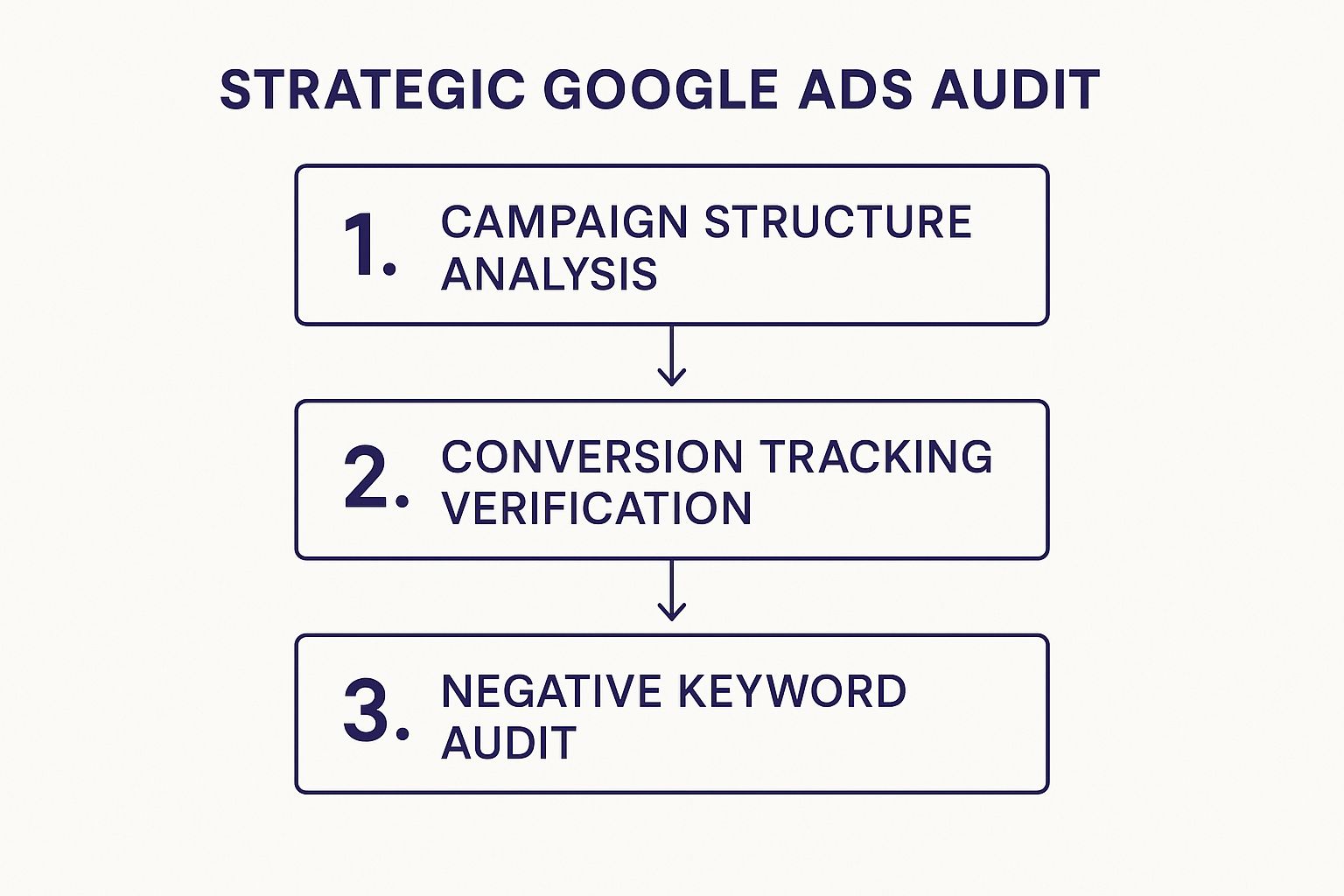
As you can see, it all starts with structure, then moves to validating your data, and finally to sharpening your targeting to stop wasting money.
Your Foundational Google Ads Audit Checklist
To get you started, here's a simple checklist. Use it to walk through the core parts of your account and spot those quick wins.
| Audit Area | Key Checkpoints to Verify | Action Needed (Yes/No) |
|---|---|---|
| Campaign Structure | Campaigns are segmented by goal, service, or location. | |
| Ad Group Relevance | Each ad group has a tight, focused keyword theme. | |
| Keyword Targeting | Are match types (broad, phrase, exact) used correctly? | |
| Negative Keywords | Is there a robust account-level or campaign-level list? | |
| Conversion Tracking | Are key actions (purchases, leads) tracked accurately? | |
| Ad Copy & Extensions | Are ads compelling and using all relevant extensions? | |
| Landing Pages | Do landing pages align with ad messaging? |
Running through this list gives you a clear, actionable path forward instead of just randomly tweaking things.
Review Your Negative Keyword Lists
Finally, don't sleep on your negative keyword strategy. A well-maintained negative keyword list is one of your best defenses against wasted ad spend. Dive into your search term reports and look for all the irrelevant queries that are somehow triggering your ads. Add them as negatives, and you’ll instantly improve your targeting and ROI.
On a similar note, remarketing is a powerhouse. Did you know remarketing campaigns can boost conversion rates by an incredible 115%? It's the perfect way to bring back people who checked you out but didn't quite pull the trigger on that first visit.
Boosting Your Quality Score and Ad Relevance
Let's talk about Quality Score. Think of it as Google's internal report card for your ads. A high score is like getting an A+—Google sees your ads as valuable and rewards you with better placements and, crucially, lower costs per click. A low score does the opposite, forcing you to pay more just to get seen.
If you want to get the most out of your Google Ads budget, mastering this metric isn't optional.
The score itself isn't just a single, arbitrary number. It’s actually a blend of three core components working together. Getting a handle on these is the first real step to improving your score and making your campaigns more profitable.

The Three Pillars of Quality Score
At its heart, your Quality Score is all about how well you answer a user's search. It breaks down into three key areas:
- Expected Click-Through Rate (CTR): This is Google's prediction of how likely someone is to click your ad when it appears for a certain keyword. It's heavily based on your ad's past performance, so history matters.
- Ad Relevance: This one’s pretty straightforward. How well does your ad copy match what the user actually searched for? If someone looks up "men's running shoes," your ad needs to talk about exactly that, not just generic "footwear."
- Landing Page Experience: Once someone clicks, what happens next? Google checks if your landing page is relevant, helpful, and easy to use. A slow, confusing page is a one-way ticket to a lower score.
You can see how these all tie together. When your ad copy is highly relevant, your expected CTR naturally goes up. And when that relevant ad leads to a great landing page, you’re setting yourself up for conversions.
Actionable Steps to Improve Your Score
Fixing a low Quality Score isn't a one-and-done task; it's a constant process of tweaking and refining.
A great place to start is with tightly themed ad groups. Instead of a single, massive ad group for "shoes," break it down. Create specific groups like "men's trail running shoes" and "women's high heels." This simple change lets you write hyper-focused ad copy that perfectly matches the keywords in each group.
For instance, if someone searches "emergency plumber in brooklyn," your ad headline should scream that right back at them. A generic "Plumbing Services Available" just won't cut it. That direct match is what gives your relevance a quick, powerful boost.
A higher Quality Score is a direct result of providing a better user experience. By aligning your keywords, ad copy, and landing pages, you're not just pleasing Google's algorithm—you're giving searchers exactly what they're looking for, which is the ultimate goal.
Don’t forget to use all the tools in the toolbox. Make full use of ad assets (what we used to call extensions). Things like sitelinks, callouts, and structured snippet assets give people more information and more reasons to click, which can give your CTR a serious lift.
If you’re a local business, add location assets. If you sell products, use price assets. These small additions help your ad take up more space, stand out from the competition, and prove its value to the searcher. Consistently making these kinds of small tweaks will compound over time, leading to a much healthier Quality Score and a far more efficient ad spend.
Choosing the Right Bidding Strategy for Your Goals
Your bidding strategy is the engine that drives your whole campaign. Pick the wrong one, and you’ll burn through your budget with almost nothing to show for it. How you tell Google to bid depends entirely on what you're trying to achieve—whether that's just raw website traffic, getting quality leads, making e-commerce sales, or simply getting your brand name out there.
There's no single "best" option here. The right choice is the one that lines up perfectly with your business goals. Think of it like picking the right tool for the job. You wouldn't use a "Maximize Clicks" strategy when your real goal is profitable sales, just like you wouldn't use a hammer to saw a piece of wood.

Manual vs. Automated Bidding
The first big decision you have to make is whether to keep tight control with Manual CPC (Cost-Per-Click) or let Google's machine learning take the wheel with an automated or Smart Bidding strategy.
With Manual CPC, you're in the driver's seat, setting the absolute maximum you’re willing to pay for every single click. This approach gives you ultimate control, which can be fantastic for brand-new campaigns where you're just trying to gather data and figure out what things cost. The downside? It's incredibly time-consuming to manage, especially as you scale up.
On the flip side, most experienced Google Ads pros lean on Smart Bidding strategies. These use machine learning to adjust your bids in real-time for every auction, optimizing for conversions or conversion value. This automation is like having a tireless optimization engine working for you 24/7, boosting efficiency and cutting down on wasted ad spend. It's a huge shift in how campaigns are managed, as shown in these powerful PPC stats and trends at brentonway.com.
Matching Strategies to Common Business Goals
Let's break down which strategies actually work best for different objectives. This isn't every single option, but it covers the most common situations you'll find yourself in.
-
Goal: Brand Awareness – If your main objective is just getting your name in front of as many eyeballs as possible, look at Target Impression Share. This strategy tells Google to show your ads at the absolute top of the page, near the top, or really anywhere on the results page as often as possible.
-
Goal: Website Traffic – Trying to drive as many visitors as you can to your site within your budget? Maximize Clicks is your go-to. Google will automatically set your bids to try and get you the most clicks for your money. Simple and effective.
-
Goal: Conversions (Leads or Sales) – When your focus shifts to actions—like someone filling out a form or buying a product—then Maximize Conversions or Target CPA (Cost Per Acquisition) are excellent choices. Target CPA is great because you can tell Google, "I'm willing to pay, on average, this much for a new lead," and it will do its best to hit that number.
Your bidding strategy must directly reflect your primary business objective. If you're chasing profitability, a revenue-based strategy like Target ROAS is non-negotiable. Misaligning your bid strategy with your real goal is one of the fastest ways to burn your ad budget.
For e-commerce businesses, the game changes. It's not just about the number of sales, but the value of those sales. This is where Maximize Conversion Value and Target ROAS (Return on Ad Spend) really shine.
Target ROAS is especially powerful. It lets you set a specific return you want for every dollar you spend on ads (e.g., "$5 in revenue for every $1 spent"). Of course, measuring this correctly is critical. To get a handle on this key metric, you can check out our guide on how to calculate return on ad spend.
Refining Your Audience Targeting Tactics
Having the right keywords is only half the battle. If you're showing perfect ads to the wrong people, you’re just lighting your budget on fire with clicks that will never turn into customers.
To really make Google Ads work, you have to layer in smart audience targeting that goes way beyond a simple keyword list. This is how you shift from shouting into the void to having meaningful conversations with your ideal customers. The goal is to get surgical, focusing your ad spend only on the users who are most likely to convert.
Move Beyond Broad Demographics
Sure, basic demographics like age, gender, and household income are a decent starting point. But the real magic happens when you start layering in behavioral signals. Google lets you target users based on their recent search activity, the kinds of websites they visit, and even major life events, like graduating college or moving to a new home.
This level of detail means your ad isn't just seen—it's relevant.
Imagine you're a real estate agent. Instead of just targeting an age group, you could zero in on users actively searching for mortgage calculators or browsing home listings. Google flags these people as "in-market" to buy a house, which is exactly who you want to reach.
This isn't just theory. We see that smart geographic targeting alone can yield a 15% higher click-through rate by delivering region-specific messages. And across the board, retail advertisers using these tactics report an average return on ad spend (ROAS) of 2.7x. You can find more eye-opening PPC stats at brentonway.com if you want to dig deeper.
If you're wondering about the potential reach of these refined audiences, the Google Ads Reach Planner is a fantastic tool. It helps you forecast the impact of your targeting choices before you spend a dime, ensuring your budget is allocated to the most valuable segments.
Harness Remarketing and Custom Audiences
One of the most powerful tools in your entire Google Ads arsenal is Remarketing Lists for Search Ads (RLSA). This is your chance to reconnect with people who have already visited your website. Think about it: these users already know who you are. They're not cold traffic, which makes them far more likely to convert.
You can slice up your remarketing lists to get incredibly specific:
- All Website Visitors: A good catch-all for general brand recall ads.
- Product Page Viewers: Target these users with ads for the exact products they looked at.
- Shopping Cart Abandoners: Go after high-intent users who were just one click away from buying.
It’s not enough to just re-engage past visitors—you have to customize the experience. Segmenting your remarketing lists lets you serve hyper-relevant ads that speak directly to a user's previous actions. This is how you dramatically increase your conversion rates.
Beyond remarketing, you can build custom audiences. This lets you create a highly tailored group of people based on the specific search terms they've used or websites they've visited. You're no longer just bidding on keywords; you're targeting people who have demonstrated clear, undeniable interest in what you offer. This turns your ad campaign from a blunt instrument into a precision tool for customer acquisition.
Optimizing Landing Pages That Actually Convert
You can have the most brilliant, perfectly targeted ad campaign in the world, but if it sends people to a clunky or confusing landing page, you’ve just wasted your money. The post-click experience is where the real magic happens—it’s the moment of truth.
Failing here is like fumbling the ball on the one-yard line. Honestly, optimizing your landing pages is one of the most powerful things you can do to boost your Google Ads results, often without even touching your campaigns.
It all boils down to creating a seamless journey from the ad to the page. We call this message match.
Think of it this way: the promise you make in your ad copy has to be instantly delivered by the headline on your landing page. If your ad screams "50% Off Winter Coats," your landing page headline better echo that loud and clear, not something vague like "Shop Our New Collection."
This simple consistency tells visitors they’re in the right place, which immediately lowers bounce rates and builds trust.

Design For Conversions, Not Just Looks
A beautiful landing page that doesn't convert is just an expensive piece of art. Every single element on the page needs to guide the user toward one specific, clear action.
Your call-to-action (CTA) button should be impossible to miss. Use a color that pops against the background and write compelling, action-oriented text. Ditch passive words like "Submit" and go for something that creates urgency, like "Get Your Free Quote Now."
And please, think mobile-first. The majority of clicks now come from smartphones, so your page absolutely must load fast and be a breeze to use on a small screen. Big, easy-to-tap buttons and simple forms aren't just nice to have; they're non-negotiable.
A landing page has one job: to convert. That's it. Get rid of anything that could distract a user from that goal. Kill the extra navigation links, sidebars, and footer clutter. A focused page creates a focused user.
Page speed is another monster you have to tame. A slow-loading page is a conversion killer. We've seen data showing that for every one-second delay in mobile page load, conversions can plummet by up to 20%. It’s a staggering number, and it shows why mastering the technical side of your site is so crucial for ad success.
If you really want to get into the weeds on this, check out our deep-dive guide on landing page optimization best practices.
Average Google Ads Conversion Rates by Industry
It's always helpful to know where you stand. Below is a table that shows average conversion rates across different industries. Use this to benchmark your own performance and set some realistic goals.
| Industry | Average Search Ads Conversion Rate |
|---|---|
| Animals & Pets | 11.21% |
| Apparel/Fashion & Jewelry | 6.13% |
| Arts & Entertainment | 10.32% |
| Attorneys & Legal Services | 8.89% |
| Automotive — For Sale | 3.49% |
| Automotive — Repair, Service & Parts | 14.67% |
| Beauty & Personal Care | 9.07% |
| Business Services | 6.55% |
| Career & Employment | 5.37% |
| Dentists & Dental Services | 12.00% |
| Education & Instruction | 6.18% |
| Finance & Insurance | 8.04% |
| Furniture | 3.86% |
| Health & Fitness | 10.02% |
| Home & Home Improvement | 8.92% |
| Physicians & Surgeons | 11.45% |
| Real Estate | 3.86% |
| Restaurants & Food | 10.15% |
| Shopping, Retail & Gifts | 5.09% |
| Sports & Recreation | 7.91% |
| Travel | 4.31% |
(Data courtesy of WordStream's 2025 Benchmarks Report)
As you can see, performance varies wildly. Some sectors, like Automotive Repair, hit an incredible 14.67%, proving just how powerful a well-aligned ad and landing page can be. Don't be discouraged if your industry's average is lower; just focus on beating the benchmark.
Build Trust to Reduce Friction
People don't buy from websites; they buy from businesses they trust. Your landing page is your first, and sometimes only, chance to build that confidence.
You can do this by sprinkling in a few key "trust signals":
- Testimonials and Reviews: Nothing is more powerful than social proof. Let your happy customers do the selling for you.
- Security Badges: Displaying SSL certificates or familiar logos like Visa and PayPal tells visitors their information is safe.
- Clear Contact Info: A real phone number and a physical address make your business feel legitimate and accessible.
Each of these elements helps reduce a user's hesitation, making them that much more likely to click your CTA and become a customer.
Winning with Google Shopping Campaign Optimization
If you're in e-commerce, Google Shopping isn't just another box to check—it's one of the most powerful sales channels you have. But unlike standard text ads where you bid on keywords, Shopping campaigns live and die by your product feed. Getting that data right is the first, and most important, step in turning casual browsers into loyal customers.
Your product feed is literally the foundation of every Shopping ad you run. The details you put in there—especially your product titles and descriptions—act as your keywords. They tell Google exactly which search queries should trigger your ads.
Perfecting Your Product Feed
Let's start with product titles, because this is where so many businesses miss a huge opportunity. A generic title like "Blue T-Shirt" just won't cut it. Think like your customer. A better, more descriptive title would be something like "Men's V-Neck Cotton T-Shirt – Navy Blue – Size Large." Suddenly, you've included style, material, color, and size—all terms people are actually searching for.
Of course, the first thing anyone sees is the image, so make sure yours are high-quality and crystal clear. From there, it's all about accuracy across the board.
- Accurate Pricing: If the price in your feed doesn't match your website, Google will disapprove your products. No exceptions.
- Availability: Keep your stock levels updated. Nothing kills your budget faster than paying for clicks on items you can't even sell.
- GTINs and MPNs: Don't skip these. Correct Global Trade Item Numbers and Manufacturer Part Numbers are how Google properly categorizes your products and shows them to the right people.
Structuring Campaigns for Control
Whatever you do, don't just dump all your products into a single campaign. That’s a recipe for wasted spend. A smart campaign structure gives you the granular control you need to manage bids and budgets effectively.
Try segmenting your campaigns by product category, brand, or even by profit margin. For example, if you pull your highest-margin bestsellers into their own campaign, you can afford to bid much more aggressively on them. This is how you scale.
This kind of segmentation also makes managing negative keywords a breeze. Dive into your search terms report and start filtering out irrelevant traffic. If you're selling premium running shoes, you'll probably want to add negative keywords like "cheap" or "discount" to stop attracting bargain hunters who were never going to buy from you anyway.
Winning at Google Shopping is less about outbidding and more about out-organizing. A clean, detailed product feed combined with a granular campaign structure gives you the control needed to focus your ad spend on your most profitable products.
It also helps to know where you stand. The average conversion rate for Google Shopping Ads hovers around 1.91%, but this swings wildly depending on the industry. HVAC & Climate Control, for instance, pulls in an impressive 3.30%, which just shows how effective these ads can be for capturing high-intent buyers. If you want to see how your industry stacks up, you can find more detailed Google Ads benchmarks on storegrowers.com.
Answering Your Biggest Google Ads Questions
When you're trying to fine-tune your Google Ads account, a handful of questions always seem to pop up. Let's walk through some of the most common ones I hear and get you clear, practical answers so you can start making smarter moves with your campaigns.
How Much Should I Actually Spend on Google Ads?
This is the big one, and the honest answer is that there’s no magic number. It all comes back to your numbers. You need to know your customer lifetime value (LTV) and what you can afford to pay for a new customer—your cost per acquisition (CPA).
For example, if a new customer brings in $500 over their lifetime and you’re comfortable spending $100 to get them, you can work backward from there.
My advice? Start small. Kick things off with a daily budget you won't lose sleep over, maybe $25-$50 a day. Let it run for a couple of weeks to see what kind of data rolls in. This isn't about guesswork; it's about collecting real performance metrics. Soon enough, you'll see your actual cost per click and conversion rates, giving you everything you need to build a scalable, informed budget.
Why Did My Ad Performance Suddenly Tank?
Seeing your performance drop off a cliff is stressful, but there's almost always a logical reason. The first place I always look is the "Change history" tool inside Google Ads. It’s a log of every single tweak made to the account, making it easy to spot if a recent bid change or keyword edit sent things sideways.
If it’s not an internal change, look outside the account:
- New Competition: Did a new player just show up to the party? Run an Auction insights report to see who you're up against and if they're driving up costs.
- Seasonality: Sometimes, demand just naturally dips. Is this a slower time of year for your industry?
- Ad Disapproval: Don't forget to check your ad status. A disapproved ad can bring a high-performing ad group to a screeching halt.
A sudden drop in performance is usually just a symptom. Dig into your change history, auction insights, and ad statuses, and you’ll almost always find the root of the problem. That means you can apply a precise fix instead of just making panicked adjustments.
How Often Should I Be Optimizing My Campaigns?
Finding the right rhythm for optimization is a balancing act. If you make changes too often, you're constantly resetting the algorithm's learning phase. But if you "set it and forget it," you're just burning cash.
Here's a simple, balanced schedule that works well for most accounts:
- Weekly: Dive into your search terms report. This is your chance to add new negative keywords and snuff out irrelevant traffic before it costs you too much.
- Bi-Weekly: Time to look at ad copy. Pause the ads that aren't pulling their weight and start testing new headlines or descriptions.
- Monthly: Zoom out and look at the big picture. Review your overall bidding strategy, where your budget is going, and whether your campaigns are still aligned with your business goals.
This kind of structured routine keeps you making steady, data-backed improvements without throwing the campaigns into chaos.
At Frozen Crow Inc., we live and breathe this stuff. We turn these optimization puzzles into real growth strategies. If you're tired of the guesswork and want to see measurable results, let's talk. Get your free marketing audit and see exactly how we can elevate your campaigns.


